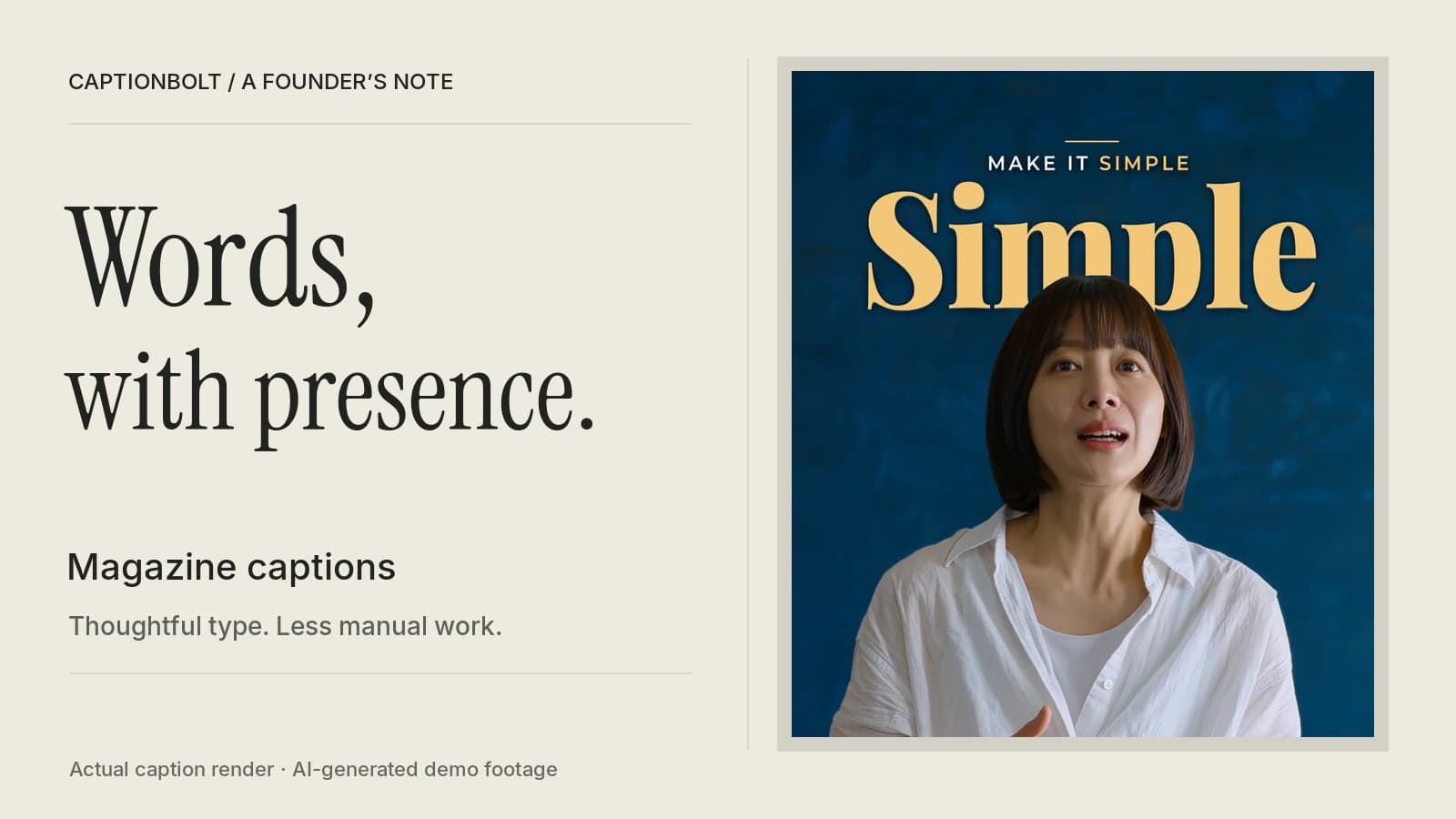
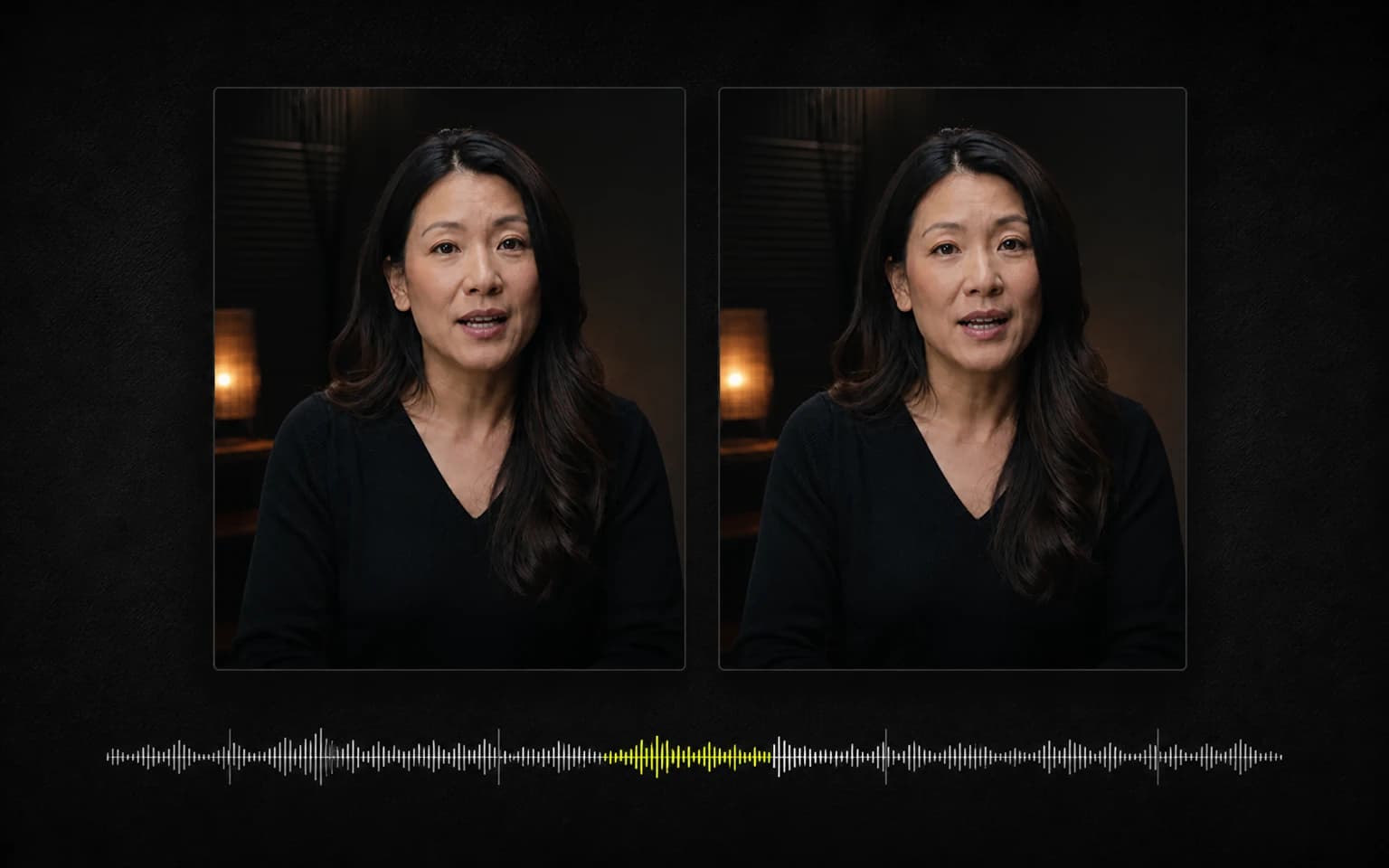
Why CaptionBolt Now Makes the First Edit
Recording got easier. Editing didn't. Why CaptionBolt now makes the first edit of your talking-head video, what goes into it, and why every piece stays yours to change.
Matt
Founder of CaptionBolt
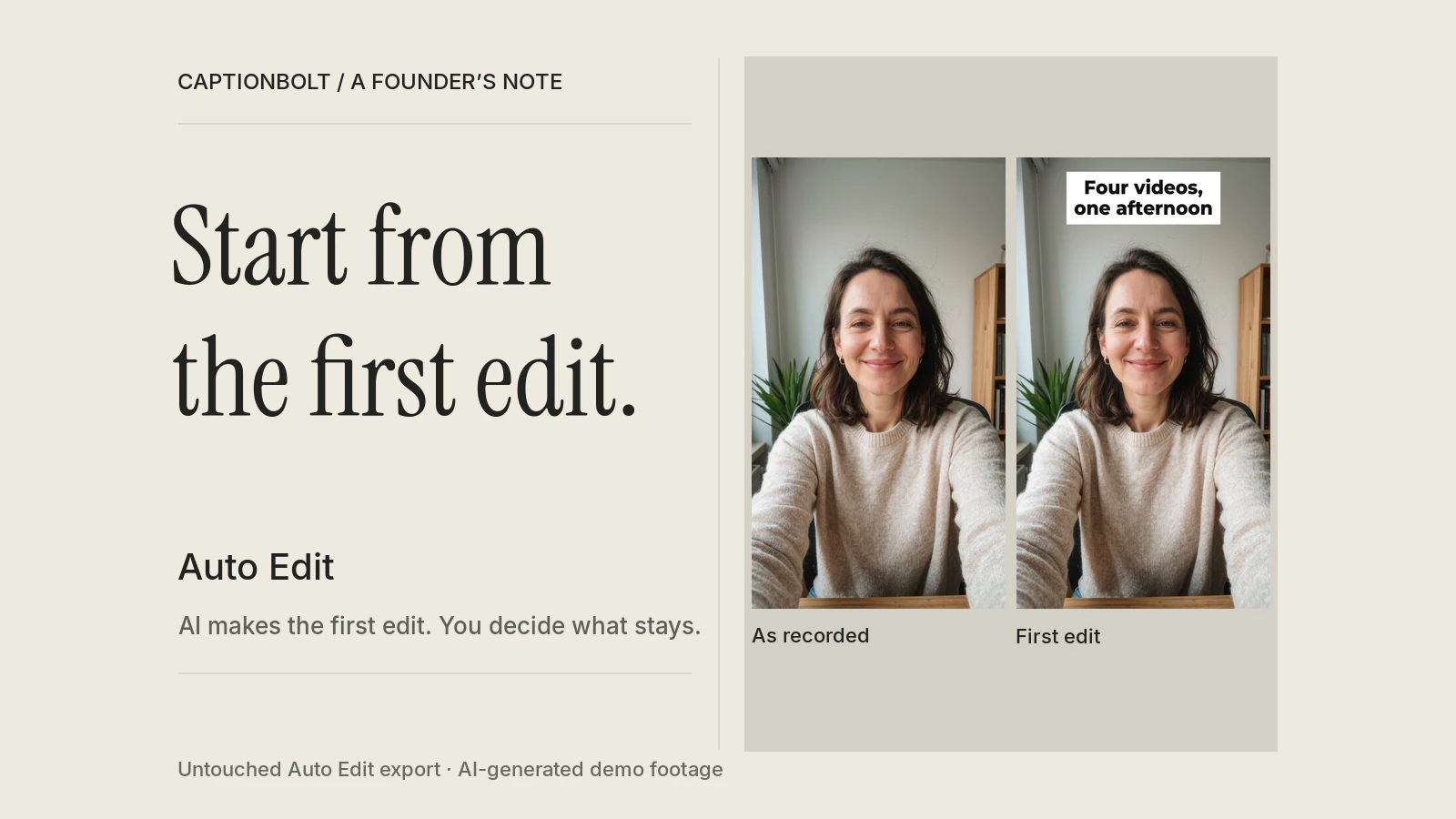
The video we use to test CaptionBolt ends with a line I keep thinking about.
A woman sits at her desk with her phone propped up and explains how she batches her content. She films a month of videos in one afternoon. She picks four questions clients actually asked her, jots three bullet points on a sticky note for each one, and talks. No script. Then, almost as an aside:
Four videos, one afternoon. Editing them is another story.
She isn't a customer. We generated her with an AI video tool so we could run the same footage through CaptionBolt again and again. But the line describes something real. For a lot of people who make videos for their work, recording has become the easy part. The phone is good enough, the light by the window is good enough, and the ideas are already in their head. The slow part starts when they stop talking.
This post is about what we built for that part, and why it changes how I describe CaptionBolt.
The Blank Timeline
Open most editing tools after a recording and you get your clip and an empty timeline. Everything else is up to you.
Find footage that shows what you're describing. Write an opening line that gives people a reason to stay. Pick music that doesn't fight your voice. Decide which phrases deserve to be on screen. Add a few sound effects, then check that none of it covers your face.
None of those steps is hard on its own. Together they take time, and they ask for a kind of judgment most coaches, consultants and teachers never set out to learn. Their job is the advice, the lesson or the product. The edit is the toll they pay to share it.
For most of this year, captions were the center of CaptionBolt. We went deep on them, and I'm proud of where they are. We had other tools around them too, but you still built the rest of the edit yourself, one tool at a time. And a talking-head clip with good captions can still feel like one long, flat shot.
“Didn't You Just Make It Smaller?”
If you followed us this summer, you may remember that in July we made CaptionBolt smaller on purpose. We removed automatic clip selection, reframing and dubbing so we could focus on finishing the video someone had already recorded.
So it's fair to ask why we're now adding AI that touches almost every part of the video.
The features we removed were really three separate products. Each one made a different kind of creative decision, and each would have needed its own way for you to check that decision and recover when it was wrong. We couldn't build three of those well at once.
What we're adding now runs the other way. It starts from your recording, follows the same path (upload, edit, review, export), and writes everything into the project you already know how to change. Each piece shows up on the timeline or in its own panel, where you can see it, edit it or remove it. There is one place to review, and it's the Editor.
That July post has a sentence I still agree with: AI handles the first pass, and you decide what gets published. This is that sentence, applied to the whole video instead of only the captions.
What Goes Into a First Edit
When you upload a video now, CaptionBolt asks how you want to start. Auto Edit is selected by default. You can untick anything you don't want added, or choose Captions only. The first time you open the Editor, AI makes the first edit from what you said.
Here is one real run on the 30-second video I described above. While it works, the screen shows what it's doing: the hook it wrote, the phrases it picked, the footage it searched for and the music it chose.
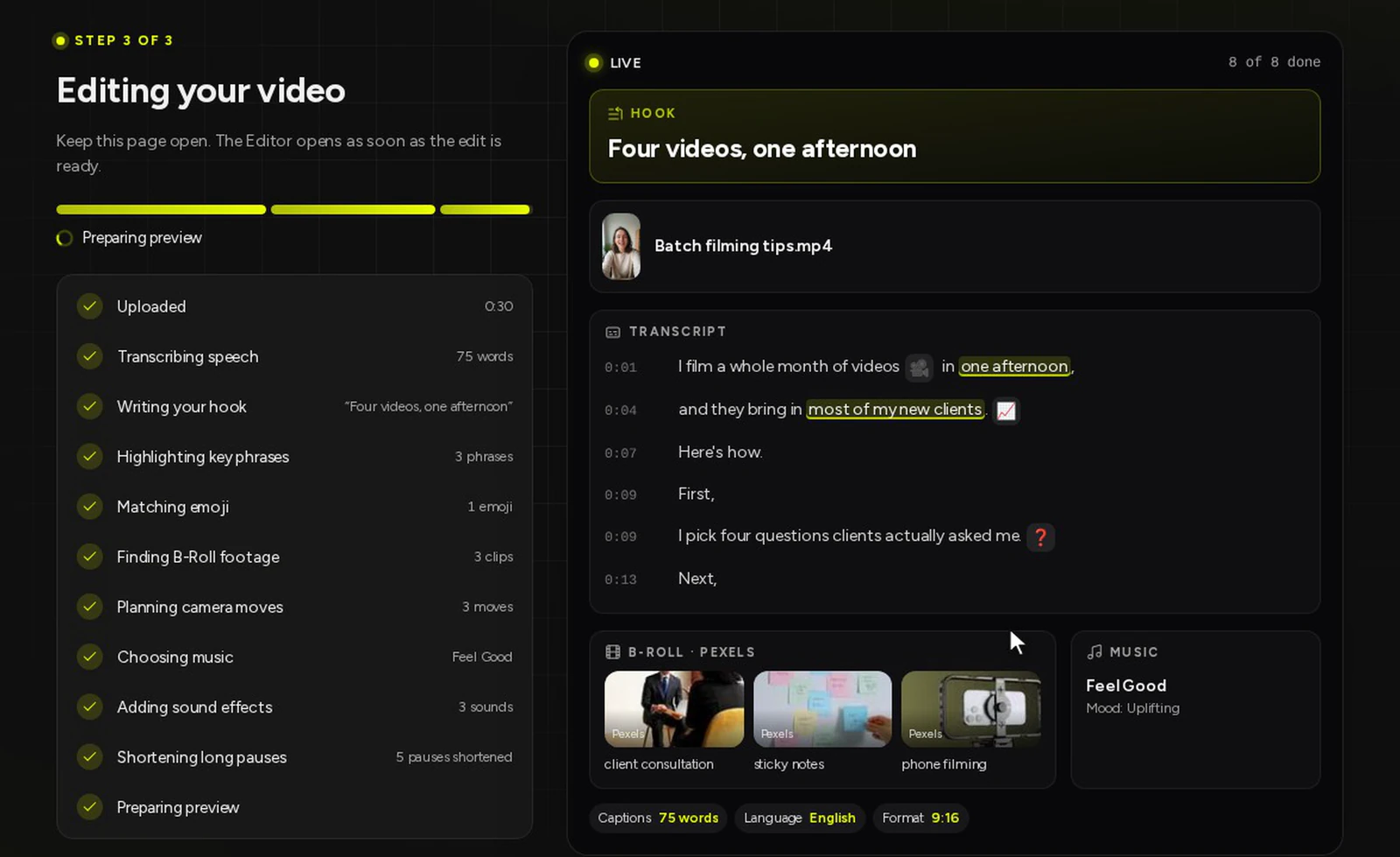
I like this screen more than I expected to. You can watch the edit being built from your own words, instead of waiting for something to come back from a black box.
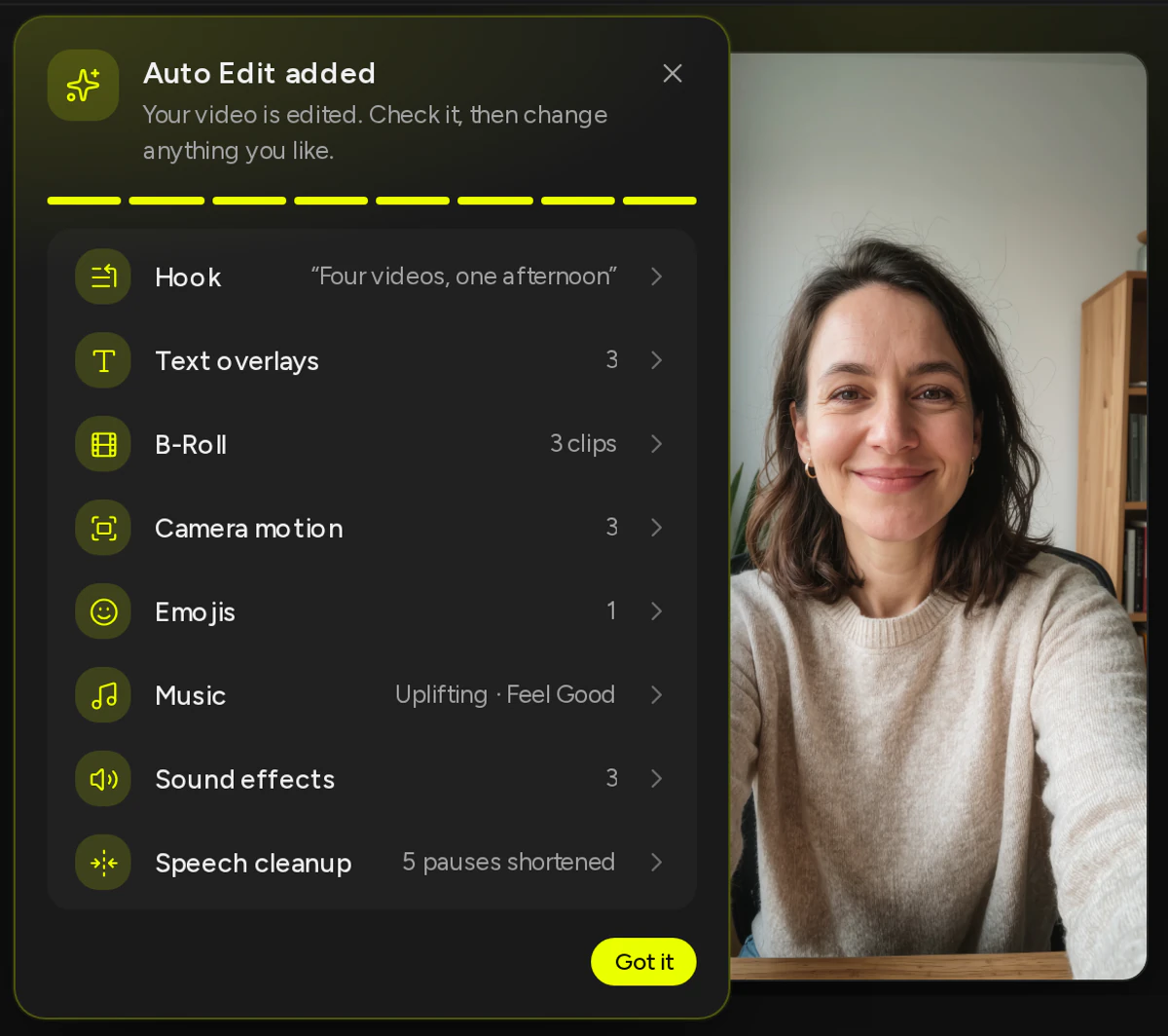
When the Editor opens, a card lists what was added. In this run: a hook, “Four videos, one afternoon”, three text overlays, three B-Roll clips, three camera moves, one emoji, an upbeat music track and three sound effects. We had also ticked Speech cleanup, which is off by default, so five long pauses were shortened.
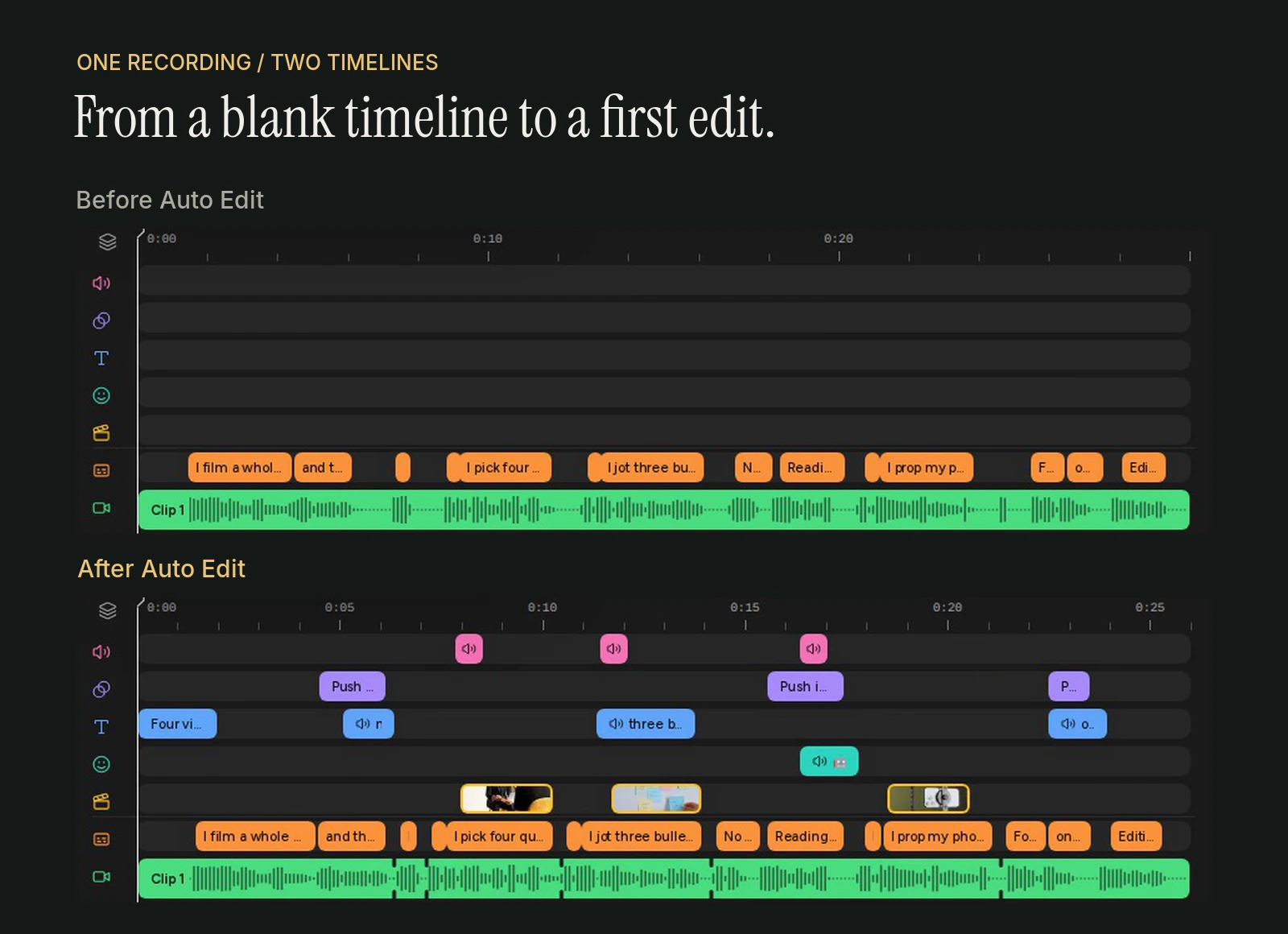
Here is the same project's timeline with Auto Edit undone, and then as Auto Edit left it. Same recording, same captions. The second one is about four seconds shorter because of the shortened pauses.
And this is what the video looks like if you export it without changing anything.
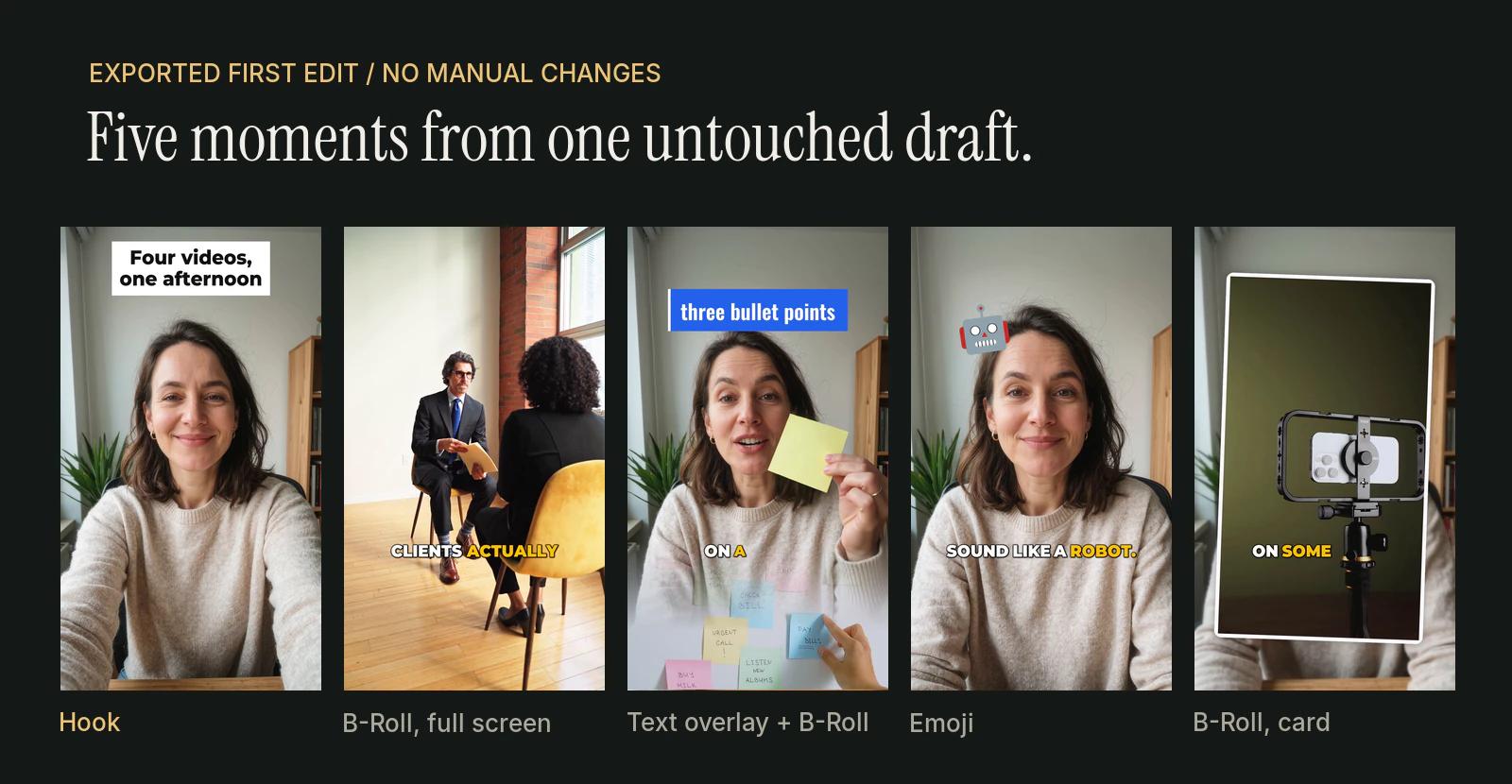
The robot emoji landed on “Reading one makes me sound like a robot.” The clip of a consultation sits on “four questions clients actually asked me.” Nobody picked those by hand.
What It Doesn't Do
I'd rather be precise here than impressive.
Auto Edit doesn't trim your recording. If you tick Speech cleanup, it shortens long pauses and leaves a short breath in each one, and that's the only cut it makes. It doesn't remove mistakes or reorder what you said. It keeps your original framing. It doesn't make a cover, add your logo or write your post. Those are separate tools, and you decide when to use them.
It also won't add every item to every video. If it can't find matching footage, or there's no room left for something, the card says so and points you to the panel where you can try again. What you see above is one run on one 30-second video. Yours will look different, because your words are different.
Your Job Is the Review
This is the part I care about most.
If the whole first edit misses, one Undo takes all of it away. If most of it works, keep it and change the rest. Swap a clip, fix a caption, cut a sentence or try a different caption style. If you regenerate the B-Roll, text overlays or emojis later, the ones you've already changed stay as they are.
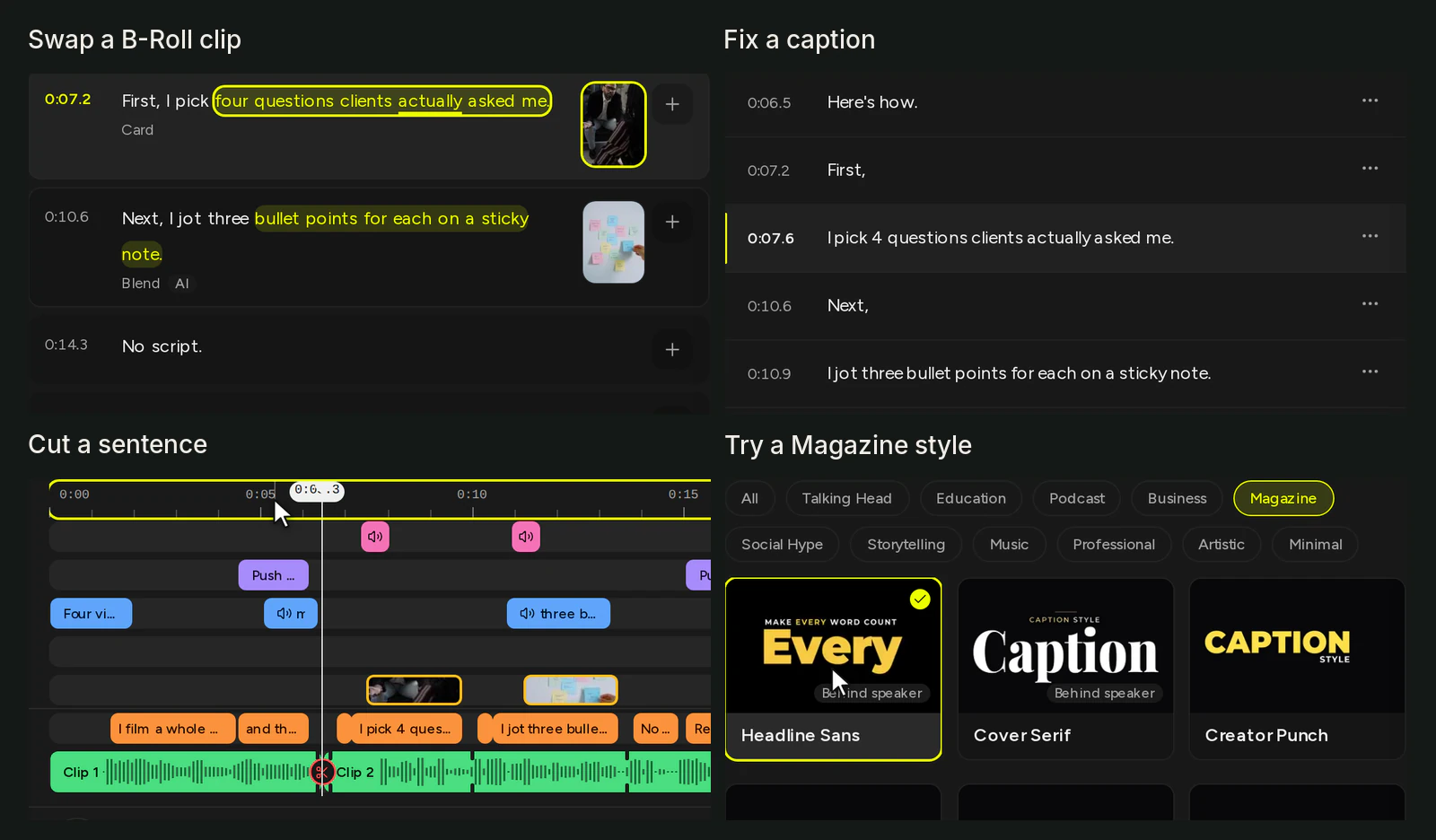
We made those four changes on a copy of the same draft. None of them needed any knowledge of editing software.
One practical note: AI in the Editor, Auto Edit included, doesn't use your processing minutes. Minutes count the length of the video you upload. AI requests have fair-use limits so the service stays reliable.
Why We Call It the First Edit
We could have called it something bigger. “Automatic editing” sounds more impressive.
It wouldn't be accurate, though. You still review it. On some videos you'll keep almost everything, and on others you'll change half of it. What changes is where you start: with a draft that already has a hook, footage, text and sound, instead of a clip and an empty timeline.
That's also how I read our tagline, “You record. CaptionBolt edits.” You bring the recording and you know what you meant. We do the repetitive part first, and you have the last word.
Try It on Your Own Recording
If you make videos for your work and editing is what slows you down, upload something you've already recorded. Leave Auto Edit on, open the Editor and look at what it made. Keep what works. Change what doesn't. You can see every tool it uses on our Features page.
Our demo speaker was a useful test. I'd much rather see what the first edit does with your words. If it gets something wrong, or right, I'd like to hear about it. You can send us feedback.